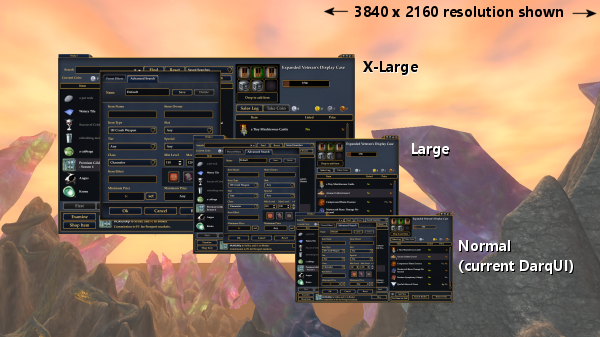
If you don't mind playing in full screen, you should be able to choose a more comfortable resolution. Open Options (Alt+O) to the first section and check the box for Full Screen. When you do that a dropdown for UI Resolution will become available just below the checkbox. Choose a resolution that is lower than your PC's native resolution, preferably a round fraction. So for example at 3840x2160 you could pick 1920x1080 which is half. You will lose a bit of clarity in the 3D world but the UI will be much larger and more readable.
If you prefer to use borderless full screen or windowed modes with your current resolution, we have a scaled-up version of the UI that may be exactly what you're looking for. Take a look at my posts
here and
here. Here is the Broker window as an example of the difference between the default UI and the larger sizes: