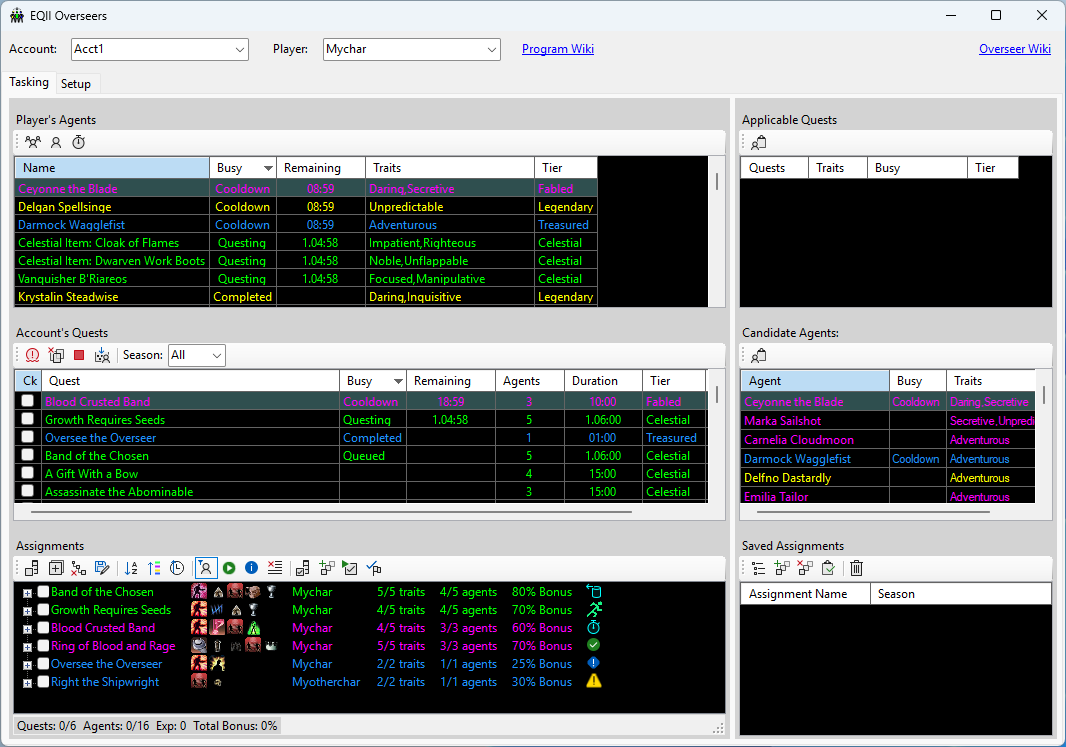
This utility provides an offline means of organizing EQII Overseer quests.
The utility is totally separate from the game. If the user wants to keep the utility's status and timers in sync with the game, the user must press the appropriate buttons in the utility. The
wiki for the utility goes into more detail.
The utility consists of a database of overseer data
stored on your computer and a graphical user interface to view and modify the database.
On first run, the database is initialized to contain (most of?) the quests and agents existent through Overseer Season 7. Live event agents are included, but live event quests are not. Once all agents and quests are loaded, the user then selects the agents and quests that a particular player owns and assigns them to that player in the database.
The utility makes it fairly simple to "design" a set of quests by arranging agents among quests. The user can then use that setup to
configure the quests in the game.
The utility can
auto-suggest agents for a set of quests. For example, the user can simply select all of the quests for a season, then
let the utility choose quests and assign agents to get the
"best" bonus chance for a set of 10 quests. The auto-assignment also considers the avaialble / not-availble status of the quests and agents if the user is maintaining that synchronzation with the game.
The utility provides quick access to:
- a list of agents owned by a player
- a list of quests owned by an account
- a list of quests for which a given agent provides only positive traits
- a list of agents that provide only positive traits for a given quest
- a means to save a list of quests and their agents for later recall
- quest and agent status: Idle; Questing; Completed; Cool Down (time spans managed by the utility, state changes managed by the user).
The utility supports
multiple accounts with
multiple players per account using selection lists. This makes it easy to check, for example, whether an offline player already owns a particular agent. The
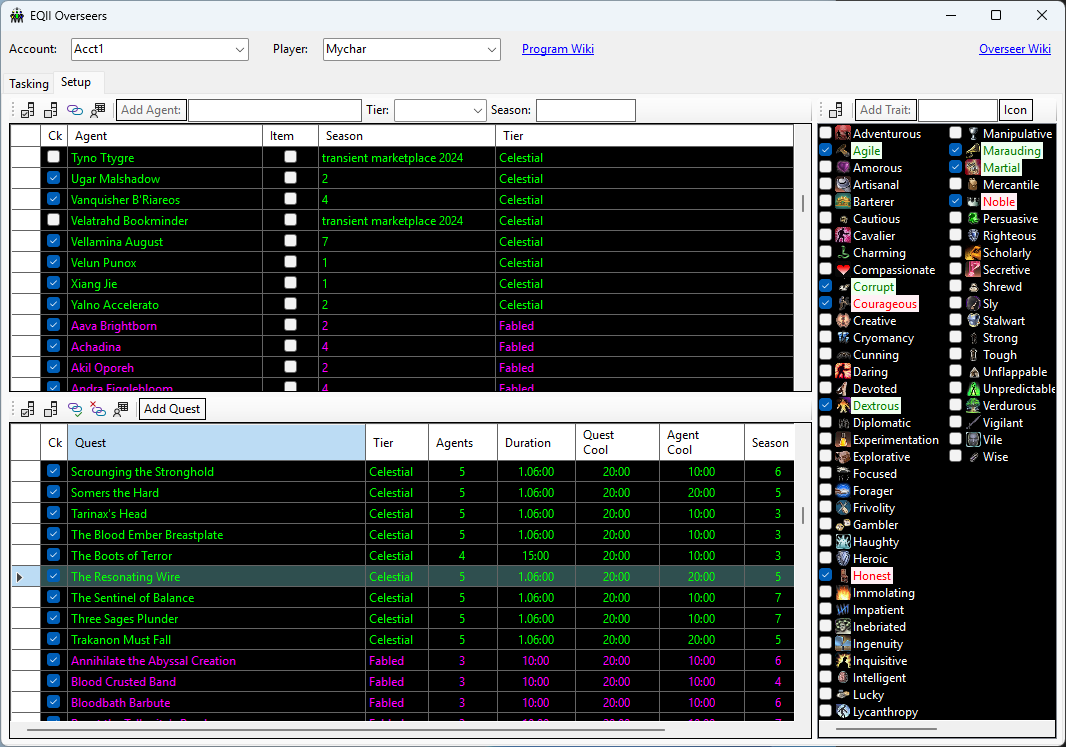
Setup Tab can be used to find which agents or quests are missing for a particular player or account.
Since the database is a local personal file, any missing or future quests and agents must be added by the user. This is accomplished on the
Setup Tab.
Installation
The utility is a stand-alone executable. Unzip it in your preferred location and run it. (You will need to tell Windows that it is OK to run.) It requires the Microsoft .NET 8 library and will
prompt to download it if it is not already installed on your computer.