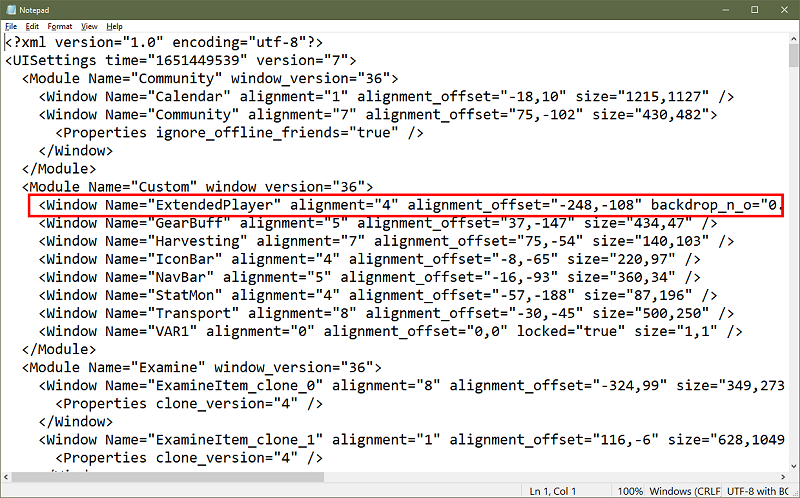
Choosing a different theme should not affect visibility of the Extended Player window. If you have used the checkbox in Window Manager to toggle the Extended Player window and it still does not show up, you can reset it from your uisettings file. Log out of the game completely then open your character's uisettings file. You can find it in the main EverQuest II folder named
<
servername>_<
charactername>_eq2_uisettings.xml
Find and delete the line for ExtendedPlayer (see below) and save the file, then log back in and the window should appear when you toggle it on.
PS: There is also a setting to show the Extended Player window only in combat -- uncheck it to show the window continuously.
.