This is a standalone utility to edit Alternate Advancements.
10-Dec-2025: Version 1.4
- Since census seems to be getting sicker rather than better:
- Add menu Edit->Retry Census Setup for when the utility is unable to get the AA trees from the census when it starts.
- Add menu View->Disable Spell Census to turn off getting the details of a spell when hovering the mouse over an icon. Useful if you just want to edit, not wait on census for spell descriptions. This setting is not persistent.
- Added menu Edit->Add Perk Points to add the tradeskill extra AA points in case the user is paying for the perk. Defaults to on. This setting is persistent.
- Fixed channeler AA trees.
- Fixed the show/hide for zero point AA's depending on whether any points remain unspent.
Description
The advantages of the utility over the in-game tool are:
Easy Edits
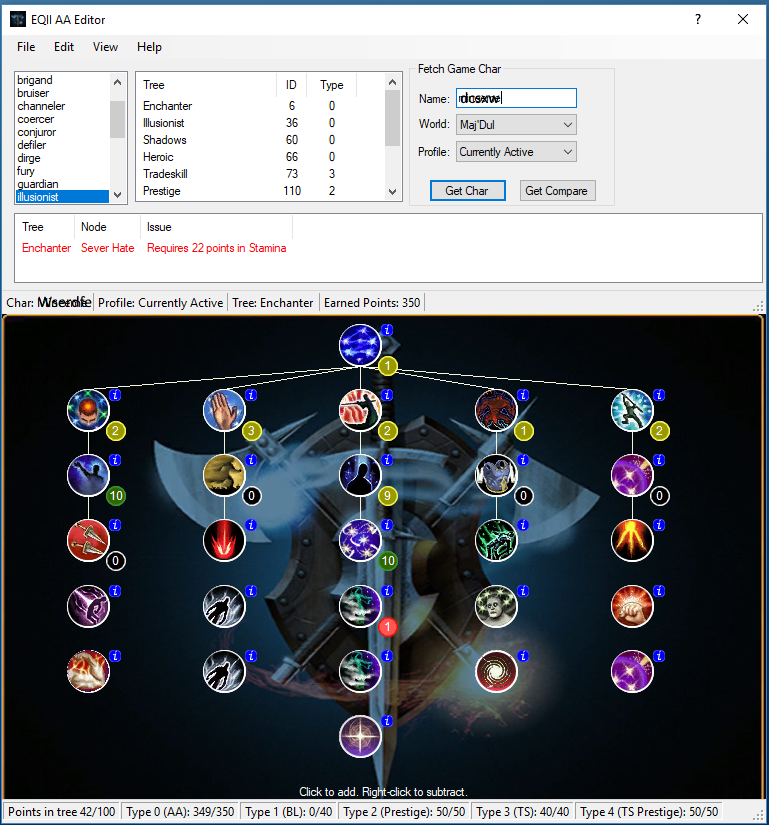
There is no need to "rollback" or hunt through a list to make a change. Just click the spell icon. The utility does not prevent an edit that violates a rule. It will list the rule violation(s) so the user can make corrections (ref. the screenshot "Example broken rule error" with the error description and the red rank circle). A file with violations cannot be saved.
Rule Visibility
Rules are always displayed in the spell info popup. Prerequisites are colored green if they have been met, red if they have not been met.
Compare Profiles
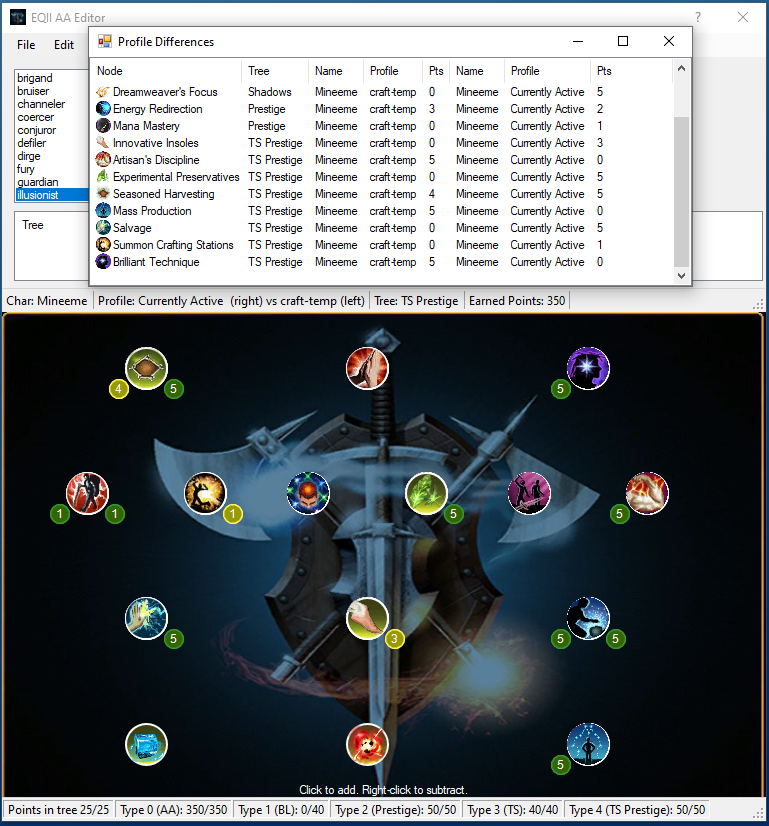
The utility can compare two AA profiles. They may be profiles of two different characters (of the same class), or two different profiles from the same character. This allows easy visualization of the differences in the AA profiles. The utility provides a pop up list of the differences and rank circles to the left and right of the spell icons that differ. See the "Compare AA Profiles" screenshot.
The utility gets most of its data from the EQII census, including rules and player AA profiles. It can also read .aa files written by itself or downloaded from eq2wire.
The utility writes .aa files that are readable in EQII via the "Load..." menu on the EQII AA screen. This is how to get an edited AA profile activated in the game. Save the .aa file in your "Everquest II" game folder so it will show up in the "Load..." list.
There is a short help screen available from the "Help" menu and quick help on the various buttons, boxes, and lists available from the ? in the upper right corner.
There is no installation required. Simply unzip the downloaded file and run the Eq2AAedit.exe.




 11-29-2017, 09:56 AM


