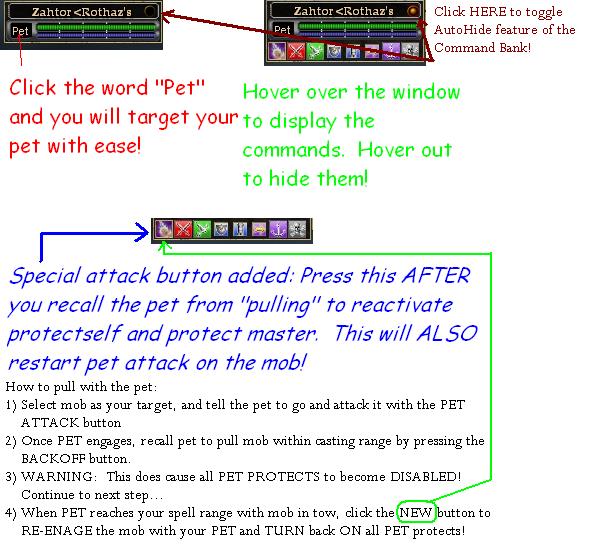
Version 2.0 is uploaded. Make sure you place the dn_bg1.dds file in YOUR drive:\everqeust2\ui\CUSTOMMODNAME\IMAGES directory or you WILL have a WHITE background. A white background is showing that the image it is requesting is NOT found. If MUST be in the images directory that is located off of your CUSTOM UI directory.
ADDED:
Checkbox in upper right area where the pet name is.
Checking this will diable the autohide feature of the command bank.
Unchecking, Enables the autohide feature.
FIXED:
Background image should be working. New file .zip hopefully will overwrite correctly. I think the last update actually took my old .zip instead of the new. Not sure. BUT, the background does work on all four of my machines.
What is needed by the users of this mod:
If anyone else is experiencing this background issue, please post here. PLEASE, download version 2.0 and then try the mod before posting ill results.
Thanks to all who use my mods.
-dn