
|
So I did something cool with the most annoying window in the game...
THE BROWSER WINDOW!!!!!
I really despise this window...Why? Because it takes up so much space and every time it launches it lags. I kind of like how gm9 made it in Profit where you hide it, but I hate hiding windows to end up clicking an icon to get them to show again. With that said this is what I did with LocationEffectors. Pretty much what it does is upon mousover the window slides to the right and into full view and upon mouseout the window slides back to the left with only about 30 pixels of space. I just wanted to share. I hated that stupid browser window until this day. It might be worth making a mod out of it, idk...what do you guys think??? Here's some pics: 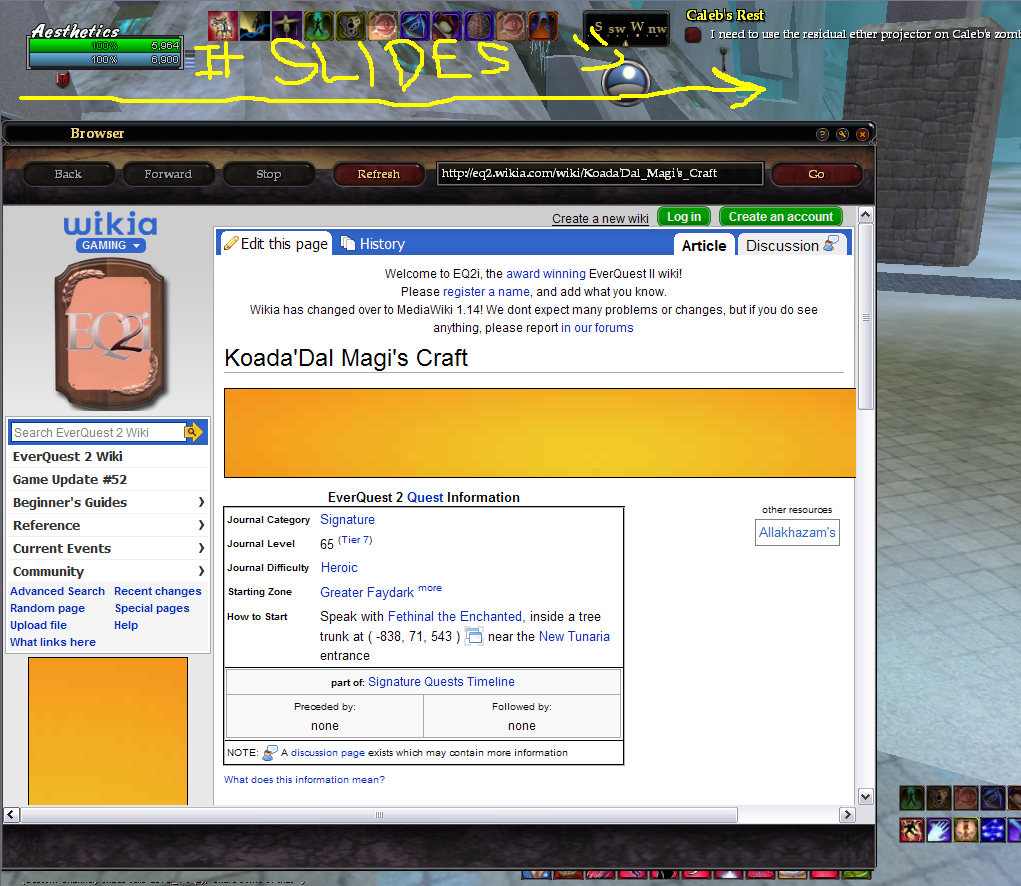 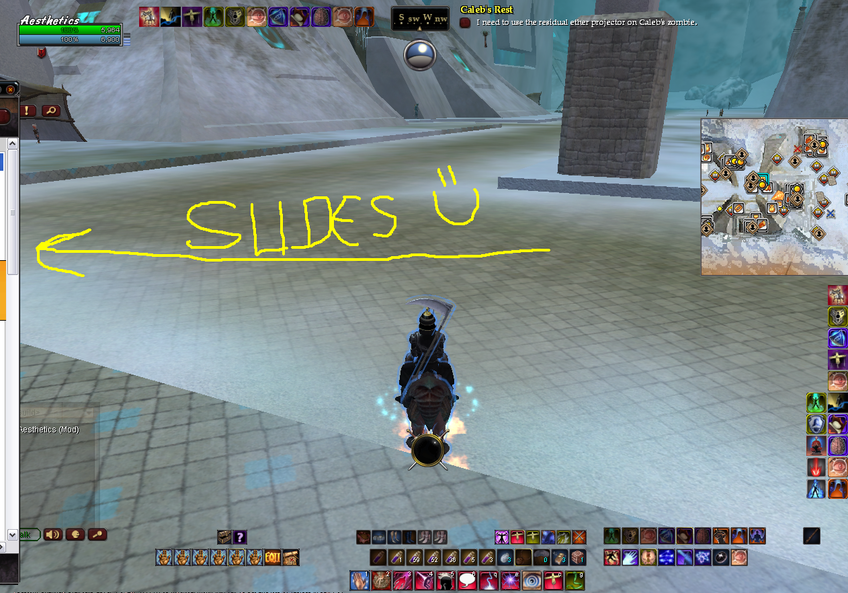 |
Great idea, fairly easy to implement. I would personally have to see how it works in game though!
|
I'm messing with this window again after ignoring it for a long time. Tweaking it to fix a couple minor things I dislike about it.
The slide effector is a nice idea, just not sure how practical it is given the wide variety of layouts people use. For example a lot of folks put the Maintained window in a verticle format on the left and Effects on the right, so there would be overlay issues. I've been meaning to build a task bar type thing for stuff like this, just don't seam to have time for any hardcore modding like I used to. |
Well I do know that location effectors for vertical sliding are bugged and do not work at all, so horizontal sliding is all that works now.
It works nice and smooth and I really like it. I'm keeping this window up always when I quest. I modded it from the default so now I have to go back and make a good and customized window like Othesus's or Profit's Browser. |
Yah personally I like window shades and have implemented them on most large windows in Fetish. I run around with the browser up but collapsed all the time. Browser only takes up a 20 x 180 strip of screen space when collapsed.
The one minor annoyance with the window shade method is that the browser scrolls back to the top on collapse/expand. |
I don't like it. Reason being is because I have to click a stupid button every time I want to see the window briefly for quest details or whatever.
I just like to hover over the window, see the info I need to see, and then unhover and its gone. Fast, easy, reliable, and NO CLICKING. :nana: |
Quote:
Quote:
Quote:
|
The LocationEffectors do not work vertically with the TargetLocation, at least not in UIBuilder(that's what I used to test it).
The window you're talking about is WindowManager and it currently does not work with the Browser window. |
That's the one, yes.
Regarding the vertical movement I just tested that in both UIbuilder and in game using a LocationEffector to slide a window vertically down or diagonally across the screen. Both worked fine. |
Unless I'm mistaken, Rothgar's WindowManager was never fully implemented and and doesn't look like it was going to keep windows open. Its essentially a button bar you can add window launchers to.
The whole point here is to keep the window open in a minimized or off-screen state to avoid the performance hits of reopening it or leaving it open fully expanded. |
I can't say I ever really used the window manager but from what I remember it does in fact not unload the windows but rather keep them loaded but hidden. I do remember that it does not work with custom windows either, or at least not with the InfoCenter, the only other window besides that browser that I liked to minimize.
But I agree, I don't think that feature was ever finished. |
I got around the Info Center upsetting the scroll bar position by setting the internal page to be "fixed,fixed" packsize before resizing the external window's page. I would then change it back to normal upon restoration. This would stop the scroll bar from moving.
I'm not sure if this will help for the browser window but thought I would share. |
Thx Drum, even if it doesn't help with the Browser, I'll prbly do that with the InfoCenter.
|
| All times are GMT -5. The time now is 08:08 AM. |
vBulletin® - Copyright ©2000 - 2026, Jelsoft Enterprises Ltd.
© MMOUI