
|
Forgot to update the ui settings file. Current version is now uploaded. EliteUI-032007b.zip
Val |
Mods are gonna kill me, but I came acrossed an error in the modification.txt.
The "pkdata" folder was renamed to "crafter". The current version is EliteUI-032007c.zip Overall setup was not effected. If you have already downloaded the compilation there is no need to redownload it. Val |
Crash with new version
Love the mod :)
With this new version, when I start the game with the 'play' button on the launchpad, I get a windows error "EQ2 Client Application has encountered a problem and needs to close. We are sorry for the inconvenience." before I get any screens in my EQ window. If I change my eq2.ini file to point just to the fetishnighfall UI, I load fine. Any thoughts? I get this whether I select a character name there to load straight to them or if I leave it blank to go the char select screen. EDIT: I have deleted the cache folder, the eq2_recent.ini, and the eq2_default.ini and let them recreate, same issue. As I said above, fetish UI works fine and the default UI works fine. |
Double-check the installation. Sounds like you have a configuration out of wack there. Make sure you removed or renamed the old eliteui folder. Start from scratch.
Val |
Close chat boxes
Hello :)
I really like your UI but I don't need all those chat boxes (I only use 2). How do I get rid of the extra chat boxes? I tried removing the tabs but end up w/ the boxes still there. Thanks in advance Michelle |
Quote:
|
Quote:
Val |
Quote:
I have updated the compilation with this new mainchat xml as of 03/21/07 at 8:41pm cst. If you installed the previous v032007, please install the patch. If you downloaded the new compilation version 032107 you do not need to worry about it. Val EliteUI  Don't forget to add me to your favorite Mods list!  |
Thanks so much!!! :D
|
Possible future window change
Ok so here's the question. With the move to the ProfitUI miniature-sized player window (which includes the limited player, target, and implied target windows), is there a need for the larger Player window now attached to the experience window? I can see a use for the larger target and implied target windows, which were left in, for the ability to see debuffs and such. The larger player window just seems to take up space. Would any of you miss it if it were pulled?
|
comment and question
Honestly I would like to see the persona bar replaced with the player window that you have for xp. I use an xp window that has 4 bars displayed.
Now for a question the window that has the POI stuff on it, when I first load the UI it is visible, but the next time I log in (after moving it) it is no longer visible, any way to get it back? Thanks |
Quote:
Quote:
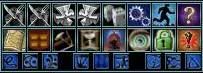 Lower-left button above the row of blue macro buttons. |
I meant replace the persona bar with a more graphical player type window.
of course the reason I like this is I like the experience bars more than percentages so I use an experience bar that has all 4 always visible. Yes I tried to press the button to make the POI window visible, nothing. |
Quote:
I will include the Fetish XP window in the next release as an alternate. |
Hmmm, I've installed EliteUI and use it exclusively. However, I do have a problem. It seems that a couple of the windows disappear from time to time. I did find out how to get one of them back but the other I can't. It's in "valesai" post. The one with the little blue macro buttons. I "lost" it and can't figure out how to get it back. Any help? Anyone?
You can tell I'm a noob, you know! :eek: |
Quote:
1. Why can I not see the Control Center? Answer: Did you (Uncheck) Keep Main HUD Windows Visible? Try ALT ~ ? Let me know if that fixes it. |
update
when id this UI going to be updated?! i don't want to go back to default to use the new macro system /cry
|
Quote:
|
Quote:
Val |
Quote:
As an aside, how do you program the macro buttons in that window?. :confused: |
Quote:
As for the macro buttons. There is a readme in the macro folder, as pointed out in the modification text file. Keep me posted. |
What resolution do you use for this mod here Val ??
It looks REALLY nice, and tho I'm using the ProfitUI I could actually be temped to try this anyways.. Nice job getting this together and getting it to work.. D |
Quote:
|
The locator window button in startmenu doesn't work. Also there was once a harvest bar to the command center. Any chance of that being added back. I've made changes to my own version but not releasing it. Would like you to look at some of it though so may post a screen shot. Just learning to code :)
|
Quote:
The harvest icon is still there. On the middle row of it is the 3rd one over. Val |
| All times are GMT -5. The time now is 10:02 AM. |
vBulletin® - Copyright ©2000 - 2026, Jelsoft Enterprises Ltd.
© MMOUI